


A 302 URL redirect is a temporary redirect that tells browsers and search engines that a URL has temporarily moved to a different location, and that the original URL is expected to return.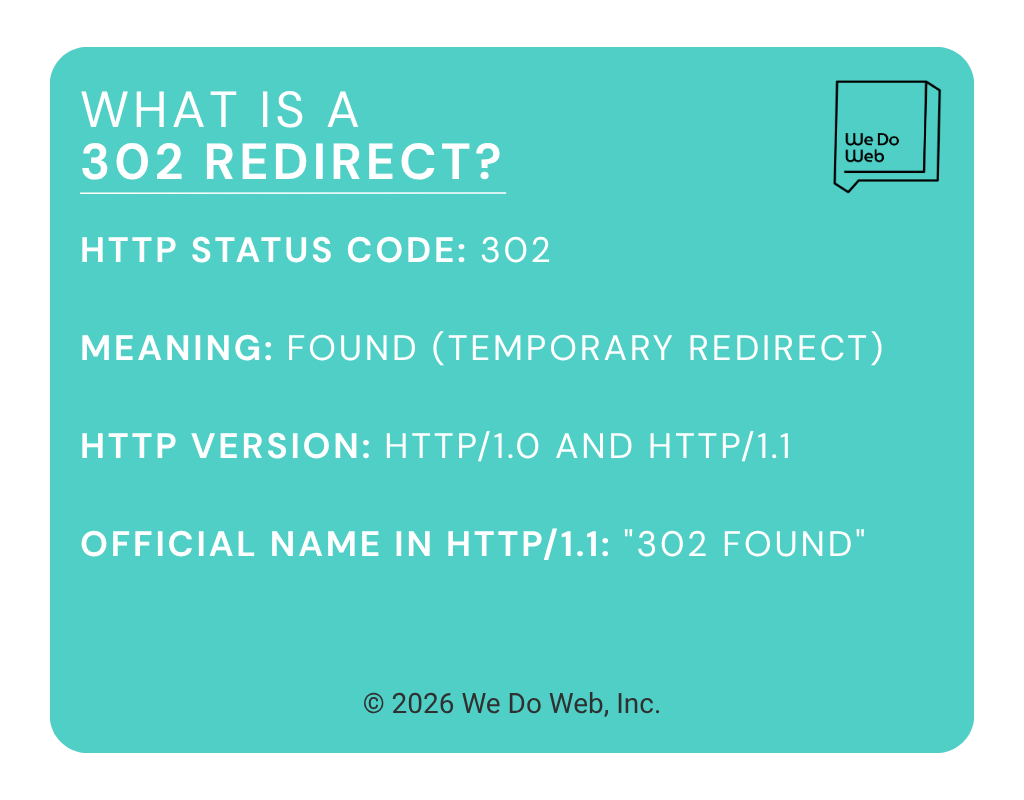
When a visitor requests a URL with a 302 redirect, their browser follows the redirect to the new destination. But unlike a permanent redirect, a temporary redirect signals that this change is not meant to last, which has implications for your law firm’s SEO efforts.
This guide goes deep on 302 redirects to help you manage them correctly. You’ll learn about URL redirects, how search engines process them, when to use them (and when not to), and how to implement them correctly without creating SEO problems.
The Cost of 302 Redirect Mistakes
Most redirect mistakes go overlooked at first. A URL gets moved, traffic keeps coming in, and nothing seems broken. But using the wrong type of redirect can:
- Prevent search engines from consolidating ranking signals to the right URL
- Leave the wrong page indexed while your real target page sits in limbo
- Cause link equity to sit on an old URL indefinitely
- Create redirect chains as sites evolve over time
Who this guide is for: SEO professionals, web developers, and site owners who want to understand 302 redirects at a level that goes beyond the basic definition.
How a 302 Redirect Works
HTTP status codes are how servers communicate the result of a request to the browser. The 302 status code means “Found,” a slightly misleading name that historically indicated the resource was found at a different temporary location.
The technical definition:
- HTTP Status Code: 302
- Meaning: Found (temporary redirect)
- HTTP version:
HTTP/1.0andHTTP/1.1 - Official name in HTTP/1.1: “302 Found”
When a browser or search engine crawler requests a URL that has a 302 redirect in place, the following happens:
- Browser sends a
GETrequest to the original URL (e.g., https://example.com/summer-sale/) - Server responds with a 302 status and a
Locationheader pointing to the temporary destination - Browser follows the redirect and requests the new URL
- Server responds with a
200 OKand serves the page content
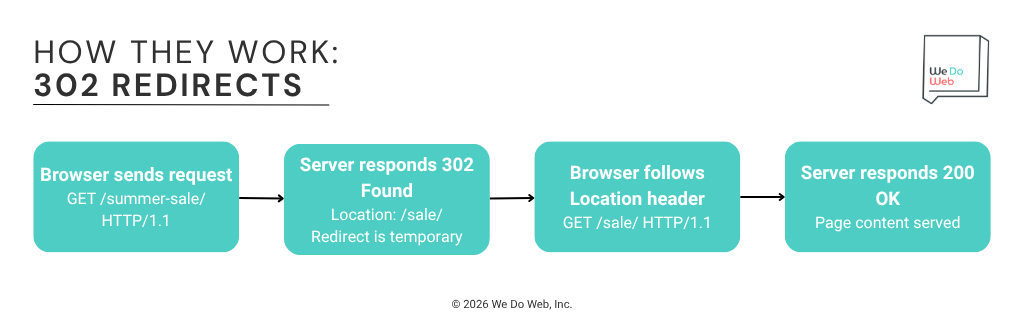
When a server returns a 302, the raw HTTP response header looks like this:
HTTP/1.1 302 Found
Location: https://example.com/sale/
Content-Type: text/html
The Location header is what tells the browser where to go next. Without it, a 302 response would leave the browser with nowhere to redirect.
302 vs Other Redirect Types
Redirect Type | Permanent Yes/No | Preserves Request Method? | Use Case |
301 | Yes | Not Guaranteed | Permanent URL changes, domain migrations |
302 | No | Not Guaranteed | A/B testing, temporary campaigns, maintenance |
307 | No | Yes | Temporary moves where POST must survive the redirect |
308 | Yes | Yes | Permanent moves where POST must survive the redirect |
Meta Refresh | Either | N/A | Avoid for SEO; browser-level only |
JavaScript | Either | N/A | Last resort; inconsistent for crawlers |
For most SEO and content-focused use cases, the choice comes down to 302 vs. 301. The sections below explain that distinction in depth.
When to Use a 302 Redirect
A 302 redirect is the right tool for a specific set of situations. Outside of these scenarios, a 301 redirect is almost always the better choice.
A/B Testing and Multivariate Experiments
A/B testing redirects temporarily send a portion of visitors to an alternative version of a page to measure which version performs better.
Example: Your current pricing page lives at /pricing/. You want to test a new layout at /pricing-v2/. You use a 302 redirect to send 50% of visitors to /pricing-v2/ while keeping /pricing/ as the canonical URL in search engines.
Why 302 works here: The original URL (/pricing/) is not going away. It stays the primary version. You want search engines to keep indexing it, not to transfer signals to the test variation.
Best practices for A/B redirect testing:
- Use the
rel=canonicaltag on the test variation pointing back to the original URL - Limit test duration, because the longer the redirect runs, the more Google may start treating it as a de facto permanent change
- End the test by removing the redirect entirely
Temporary Site Maintenance or Redesigns
When your site or a specific section undergoes maintenance, you may want to redirect visitors to a holding page without signaling to Google that the original URL is permanently gone.
Example: /checkout/ is down for a payment system migration from 10 PM to 6 AM. You temporarily redirect to /maintenance/.
Why 302 works here: The original URL will return. A 301 here would cause Google to start treating /maintenance/ as the canonical checkout page, but that’s exactly the opposite of what you want.
Timing considerations: For maintenance windows under 24 to 48 hours, a 302 is appropriate.
Alternative: If the entire site is under maintenance for a very short period, you may use a 503 redirect, which simply signals that the site is temporarily down for maintenance.
Geo-Targeting and Language-Based Redirects
Sites that serve different content to users in different countries or speaking different languages might use redirects to send visitors to the correct regional version.
Example: A visitor from France visits https://example.com/. A 302 redirect sends them to https://example.com/fr/.
Why 302 is often used: The original URL is not going away. It remains the global default. The redirect is based on user context (location), not a permanent URL change.
Important note: Google generally recommends using hreflang attributes and separate URLs for internationalized content rather than relying on redirect-based geo-targeting.
How to Implement a 302 Redirect
This section focuses specifically on the code and configuration for 302 redirects.
Apache (.htaccess) 302 Redirect
For a single-page temporary redirect in Apache, add this to your .htaccess file:
Redirect 302 /old-page/ https://www.example.com/new-page/
Omitting the status code defaults to 302 in Apache, but being explicit is always clearer:
# Explicit 302
Redirect 302 /summer-sale/ https://www.example.com/deals/

# Pattern-based 302 (redirect an entire folder temporarily)
RedirectMatch 302 ^/sale/(.*) https://www.example.com/promotions/$1
Common Apache 302 mistakes:
- Using Redirect without a status code and assuming it defaults to 301 (it defaults to 302, which is fine here, but know what you’re implementing)
- Leaving Apache 302 redirects in place for months, at which point a 301 is more appropriate
Nginx 302 Redirect
In your Nginx server block, use the return directive with the 302 status code:
# Single-page 302 redirect
location = /summer-sale/ {
    return 302 https://www.example.com/deals/;
}

# Folder-level 302 redirect
location /old-promo/ {
    return 302 https://www.example.com/new-promo/;
}
After editing, always test before reloading:
sudo nginx -t
sudo systemctl reload nginx
WordPress 302 Redirect
Using the Redirection plugin:
- Go to Tools > Redirection
- Enter the old URL path in the source field (e.g., /summer-sale/)
- Enter the destination URL (e.g., https://www.example.com/deals/)
- Change the redirect type to 302 – Found
- Save
The Redirection plugin defaults to 301, so you must actively change the type to 302 for temporary redirects.
Using functions.php (for developers):
function my_temporary_redirect() {
    if ( is_page( 'summer-sale' ) ) {
        wp_redirect( home_url( '/deals/' ), 302 );
        exit;
    }
}

add_action( 'template_redirect', 'my_temporary_redirect' );
The 302 parameter is the status code. Change it to 301 for a permanent redirect.
Cloudflare 302 Redirect
In Cloudflare, create a Redirect Rule:
- Go to Rules > Redirect Rules
- Create a new rule
- Set the condition (e.g.,
URI pathequals /summer-sale/) - Set the response type to 302 Dynamic Redirect
- Set the destination URL
Cloudflare’s Bulk Redirects default to 301. If you need a bulk 302, you must configure the status code explicitly in the redirect list settings.
Confirm Your 302 Is Working
Once you’ve implemented a 302, confirm it before moving on. The fastest way is curl:
curl -I https://www.example.com/summer-sale/
Look for 302 Found in the response, along with a Location header pointing to the correct destination. If you see 301 instead, or the wrong URL in the Location header, fix it before it sits live for long.
For a full walkthrough on detecting and auditing redirects across your entire site, see our guide on implementing redirects.
Common SEO Mistakes with 302 Redirects
- Using a 302 when the change is permanent. This is the most common mistake. A permanent URL change implemented with a 302 may never fully consolidate link equity or indexing at the new URL. The fix is straightforward: change the redirect to a 301.
- Leaving temporary redirects in place indefinitely. A 302 that runs for months or years is no longer temporary. Set calendar reminders to revisit temporary redirects and either remove them, upgrade them to 301, or confirm they are still appropriate.
- Creating redirect chains. A redirect chain happens when a URL redirects through multiple hops:
/old-page/ > 302 > /interim-page/ > 301 > /final-page/Each additional hop slows crawling. Flatten chains so the original URL points directly to the final destination. - Applying 302 during site migrations. Site migrations should use 301 redirects. Using 302 during a migration is a common mistake that leaves ranking signals fragmented across the old and new domains for months.
SEO Impact of 302 Redirects: What You Need to Know
Using the wrong redirect type affects how search engines assign ranking signals, crawl your pages, and decide which URLs to index. Understand the SEO implications of 302 redirects to avoid mistakes that can affect your site’s rankings.
Link Equity and PageRank Considerations
The question of whether 302 redirects pass link equity is one of the most debated in SEO, and the honest answer is: it depends.
Historical behavior: Early SEO convention held that 302 redirects did not pass link equity, whereas 301 redirects did. This was largely accurate in the early 2000s.
Current behavior: Google has evolved significantly. In practice, Google does pass some link equity through 302 redirects, particularly for long-standing ones. However:
- The transfer is not guaranteed to be equivalent to a 301
- Google may split signals between the original and destination URLs
- The original URL may retain some PageRank while the destination also accumulates some
Do not use a 302 to preserve link equity on the original URL while also sending traffic to a new page. If you want full PageRank consolidation at the destination, use a 301.
Crawl Budget and Indexation Effects
Crawl budget is the time and resources Google allocates to crawling your site. Every extra redirect URL Googlebot must process uses some of that budget.
With 302 redirects:
- Google may continue crawling both the original URL and the destination URL, effectively using double the crawl budget for those pages
- For large sites with thousands of 302 redirects, this can meaningfully impact how quickly Google discovers and indexes new or updated content
Monitoring in Google Search Console: Use the URL Inspection Tool to check how Google processes specific redirected URLs. Check whether Google is indexing the original URL or the destination URL. The answer tells you whether your 302 signal is being interpreted the way you expect.
Advanced 302 Redirect Concepts
The previous sections covered the fundamentals most websites encounter day to day. This section goes deeper into the technical distinctions that may apply only to specific situations, such as the difference between 302 and 307 at the HTTP method level, how JavaScript frameworks handle temporary redirects, and how to build redirect monitoring into your workflow.
302 Found vs. 307 Temporary Redirect
Both 302 and 307 indicate a temporary redirect, but they differ in one important way: HTTP method preservation.
When a browser sends a request, it uses different HTTP methods depending on the action:
GET: requests a page (typing a URL, clicking a link)POST: submits data (forms, checkouts, logins)
When a browser receives a 302 response to a POST request, most browsers change the follow-up request to GET. In practice, that means any POST data (form submissions, checkout data) may be lost.
A 307 redirect tells the browser to repeat the same HTTP method at the new URL. If the original was a POST, the browser sends a POST to the redirect destination.
When to use 307 instead of 302:
- Your web application has a temporary redirect on an endpoint that receives form submissions or API calls
- The POST data must survive the redirect (e.g., checkout flows, login sequences)
- You are building web apps or REST APIs, not standard content pages
For most websites, you’ll almost never need a 307. Standard page redirects use GET requests, and a 302 handles those correctly.
Factor | 302 Found | 307 Temporary Redirect |
Temporary redirect? | Yes | Yes |
Preserves POST method? | No (converts to GET) | Yes |
Typical use case | Content pages, campaigns, maintenance | Web apps, API endpoints, forms |
SEO behavior | Same (both signal temporary move) | Same (both signal temporary move) |
302 Redirects in JavaScript Frameworks
Modern JavaScript frameworks such as Next.js, React, and Angular can implement redirects either on the server or in the browser, depending on how the application is built.
Why this matters for SEO: Client-side redirects (executed in the browser after the page loads) are less reliable for search engines than server-side redirects (executed at the server before any page content is delivered).
Next.js server-side temporary redirect:
In next.config.js:
module.exports = {
  async redirects() {
    return [
      {
        source: '/summer-sale',
        destination: '/deals',
        permanent: false, // false = 307 (temporary)
      },
    ];
  },
};
Setting permanent: false returns a 307 redirect in Next.js (not a 302, despite the name). If you specifically need an HTTP 302 response, use Next.js Middleware instead:
// middleware.js
import { NextResponse } from 'next/server'

export function middleware(request) {
  if (request.nextUrl.pathname === '/summer-sale') {
    return NextResponse.redirect(new URL('/deals', request.url), 302)
  }
}
React (client-side only):
React applications running purely client-side cannot issue true server-side HTTP 302 redirects. A React Router redirect fires in the browser after the page has already started loading, so Googlebot may see the original page before the redirect takes effect.
For SEO-critical redirects in React apps, use Next.js (server-side rendering), an edge layer (Cloudflare, Vercel Edge Middleware), or a backend redirect at the server level.
Ensuring search engine compatibility:
- Always prefer server-side or edge-level redirects for SEO pages
- Test JS redirects with Google Search Console’s URL Inspection Tool to confirm Googlebot sees the correct destination
- If multiple test variations remain accessible, use
rel=canonicalto indicate the preferred URL.
Redirect Monitoring and Automation
For sites that run ongoing campaigns, A/B tests, or frequent redirects, consider automated redirect monitoring:
- Screaming Frog Scheduled Crawls: Set Screaming Frog to crawl your site on a schedule and email you a redirect report
- Ahrefs Site Audit: Runs ongoing crawls and flags new redirect chains, loops, and broken redirects in the Issues report
- Google Search Console: Monitor for spikes in 404 errors or coverage drops that may indicate broken redirects
Development teams deploying code changes that affect URL structures can add redirect validation to the CI/CD process:
# Example: curl-based redirect check in a CI script

REDIRECT_STATUS=$(curl -o /dev/null -s -w "%{http_code}" -I https://example.com/old-page/)

if [ "$REDIRECT_STATUS" -ne 302 ]; then
    echo "ERROR: Expected 302, got $REDIRECT_STATUS"
    exit 1
fi
Adding checks like this to your deployment pipeline catches incorrect redirect types before they go to production.
Frequently Asked Questions (FAQ)
Does a 302 redirect pass link equity (link juice)?
It depends, and the answer has evolved over time. Google has confirmed that link equity can pass through 302 redirects, especially long-standing ones. However, the transfer is not as guaranteed as a 301. For new redirects, search engines may split signals between the original and destination URLs while they observe the redirect. If your goal is to fully consolidate link equity at a new URL, use a 301.
How long can I keep a 302 redirect before it becomes a problem?
There is no hard deadline, but the general guideline from the SEO community is that redirects running longer than a few months start to behave more like permanent redirects in Google’s eyes, whether or not you intend them to. If your temporary redirect has been in place for more than 3 months and the original URL is still not returning, consider changing it to a 301 redirect.
Will a 302 redirect hurt my SEO rankings?
Correct 302 usage for genuinely temporary situations typically does not hurt rankings. The original URL stays indexed, and the redirect destination receives traffic in the interim. The problem arises when a 302 is used where a 301 should be. In those cases, ranking signal consolidation may be delayed or incomplete, which can suppress the new URL’s rankings and cause the old URL to linger in search results.
Can I use a 302 redirect for a permanent URL change?
No. A 302 signals to Google that the original URL is coming back. If the change is permanent, Google may never fully transfer ranking signals and may continue indexing the old URL. Use a 301 for any permanent URL change.
Do 302 redirects work differently on mobile vs. desktop?
The HTTP redirect mechanism itself works the same regardless of device. However, if you are using JavaScript-based geo-redirects or device-detection redirects, behavior can vary based on how the browser or crawler processes JavaScript. Googlebot primarily crawls as a mobile browser, which means mobile-specific JavaScript redirects may not be processed consistently. Use server-side redirects when possible.
What happens if I have a chain of 302 redirects?
A chain of 302 redirects, or a mix of 302 and 301 redirects in a chain, creates multiple problems, such as slower page loading, wasted crawl budget, and fragmented link equity signals. Each hop in the chain may dilute the ranking signals passing to the final URL. Fix chains by updating the original redirect to point directly to the final destination.
Should I use a 302 or 301 redirect for an HTTP-to-HTTPS migration?
Always use a 301 redirect for an HTTP-to-HTTPS migration. This is a permanent change because the HTTP version of the site is not coming back. A 302 here would tell Google to keep treating your HTTP URLs as the primary version, which is the opposite of what you want. Use 301s across the board for HTTPS migrations and confirm that your HTTPS pages have the correct canonical tags.
Summary: 302 Redirect Best Practices
A 302 is genuinely useful, but only in the right circumstances. The summary below distills the core principles so you have a clear reference point the next time a redirect decision comes up.
- A 302 redirect is a temporary redirect. Use it only when the original URL genuinely intends to return.
- Google may pass link equity through 302 redirects, but the transfer is less predictable than a 301.
- Google may eventually treat long-running 302 redirects as 301s, but this should not be your strategy.
- Legitimate 302 use cases include A/B testing, maintenance windows, geo-targeting, and seasonal campaigns.
- The golden rule: when in doubt, use a 301. Misplaced 302s leave your SEO signals ambiguous. A misplaced 301 is easier to recover from.
- 302 and 307 both signal temporary moves, but 307 preserves POST request methods, which is relevant mainly for web apps and APIs.
- For JavaScript frameworks, prefer server-side or edge-level redirects for important pages.
